Claude Skills + MCP: An Architecture for Internal Enterprise AI Assistants
Claude Skills + MCP is an operational architecture for internal AI assistants. It packages workflows with Skills and connects data via MCP to solve prompt maintenance and permission issues.
We have helped dozens of SMBs implement AI assistants. A common failure isn’t that the model isn’t strong enough, but treating AI as just a chat box.
We tested a customer service workflow: without Skills, it often consumes 8,000 to 14,000 tokens; by switching to Skill routing, token usage drops by 30% to 60%. For cost control, see How Multi-LLM Routing Reduces API Costs.
Why SMBs Should Talk About Claude Skills + MCP Now
Many business owners ask: “Wait for AI to mature a bit more?” In 2024, that was reasonable; in 2026, the risk has increased.
The bottleneck for enterprise AI has shifted from “Can the model answer?” to “Can knowledge, permissions, and workflows be called stably?”
Before: Every department writes their own prompts, with versions scattered across documents, chat history, and personal notes.
After: Encapsulate SOPs, templates, query logic, and review rules into Skills, then read authorized data via MCP.
Anthropic documentation states that Agent Skills can package instructions, code, and resources into capabilities Claude can call (see https://docs.claude.com/en/docs/agents-and-tools/agent-skills/overview). The MCP specification standardizes how AI connects to external data and tools (see https://modelcontextprotocol.io/specification/latest).
Together, they bridge the gap for internal AI assistants: knowledge tools and data connectivity.
What is Claude Skills: Packaging SOPs / Knowledge / Workflows into Capabilities
Claude Skills are not just long prompt templates. They are more like “work packages” that can include usage timing, steps, examples, brand guidelines, field descriptions, and scripts.
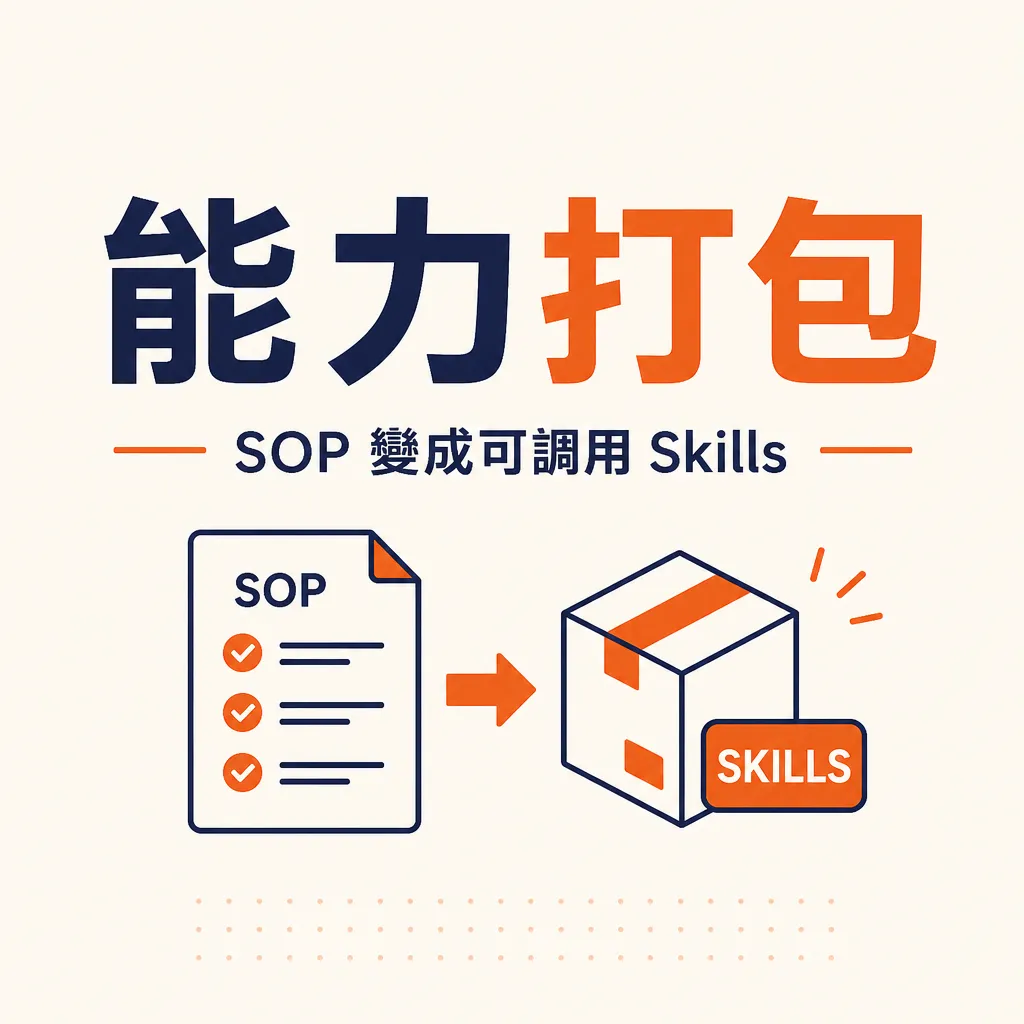
Standard prompt templates easily get out of control. Employees modify them, miss constraints, or use outdated versions.
Skills are centrally managed. Claude reads the Skill name and description first, loading the full content only when the task is relevant. Anthropic also mentions that “progressive disclosure” reduces the context burden (see https://support.claude.com/en/articles/12512176-what-are-skills).
We typically divide Skills into four categories: Document, Analysis, Process, and Brand. Start with quotes, meeting minutes, support replies, and monthly reports.
Without Skills: AI doesn’t know company formats or pricing logic.
With Skills: Claude loads the proposal Skill, brand voice, and pricing constraints.
Don’t exceed 8 Skills in the first batch. Pick workflows repeated more than 20 times weekly.
What is MCP: Securely Connecting Claude to Internal Enterprise Data
MCP (Model Context Protocol) solves data connectivity: how AI connects to enterprise data and tools without needing a custom connector for every system.
Without MCP, companies often export CSVs or write private connectors for each tool. While this works for a demo, it is hard to maintain in the long run.
MCP uses a client-host-server architecture. The AI assistant calls the server via the MCP client, which then interacts with Drive, CRM, ERP, databases, or internal APIs.
Its value lies in controlling what the AI can see, what it can do, and what records it leaves behind.
We treat the MCP server as the enterprise data boundary. Each server should have a clear responsibility; do not turn it into a “universal” server.
Before evaluating, you can review MCP Protocol and AI Agent Standards.
Real-World Architecture for Internal Enterprise AI Assistants
An operational internal AI assistant is typically a five-layer architecture.

Entry Layer: Claude, Slack, Teams, internal portals, or buttons in a support dashboard. Responsible for identity recognition and task classification.
Skills Layer: Includes weekly reports, ad anomalies, contract risks, and new employee FAQ. Each Skill should have an owner, a version, and test cases.
MCP Server Layer: Includes document libraries, CRM, tickets, BI, database queries, and tool restrictions.
Permissions Layer: Combines SSO, group roles, data classification, field masking, and allowlists.
Observability Layer: Records tasks, Skills, MCP tools, tokens, error rates, human revision rates, and sensitive rules.
Workflows must align with business outcomes (KPIs/ROI): support monitors first-draft adoption, sales looks at revision counts, and finance tracks error rates. For governance, read the Enterprise AI Implementation Governance Framework.
90-Day Implementation Roadmap (D0-D30 / D31-D60 / D61-D90)
90 days is not for building a complete platform, but for creating a version 1 assistant that departments can use and measure.
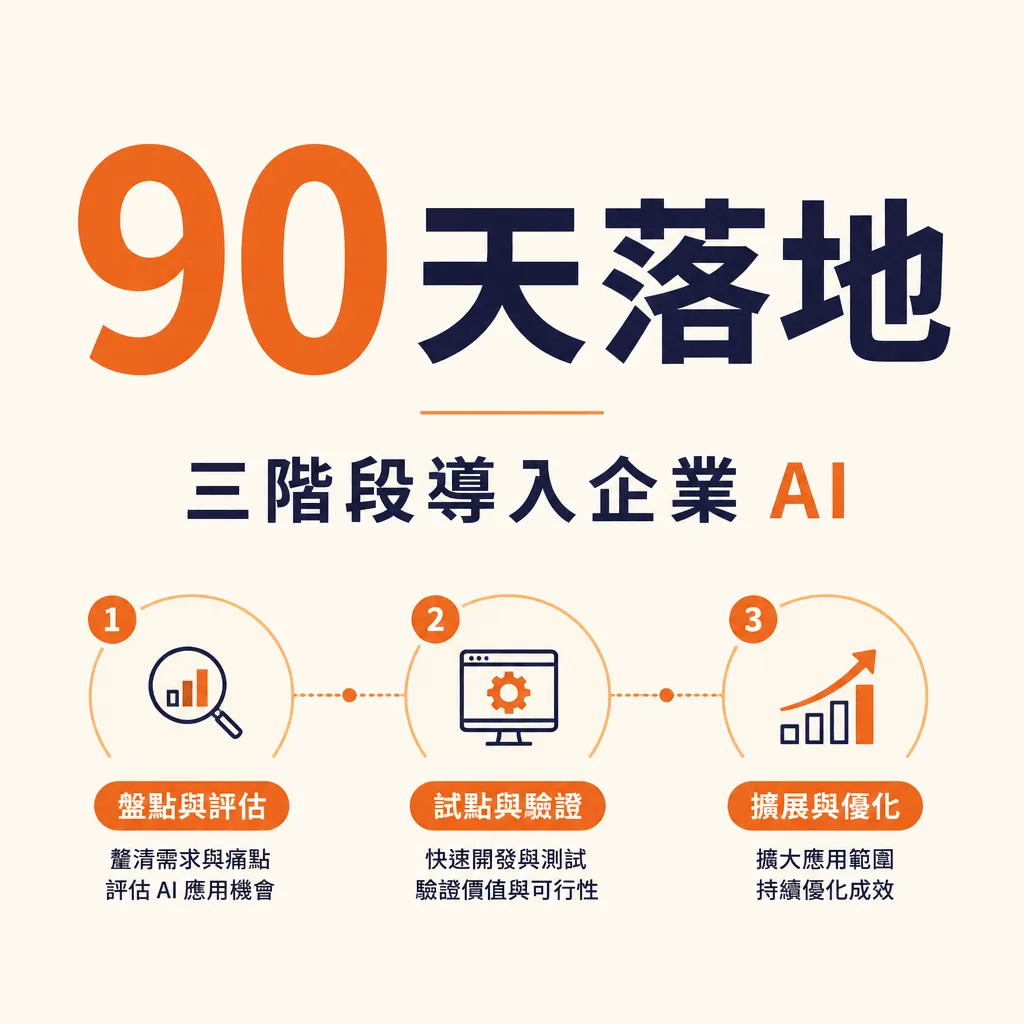
D0 to D30: Audit workflows and data. Select 2 departments and 6 to 8 high-frequency workflows. Quantify volume, time spent, and error rates.
During this phase, organize permissions: what is accessible to everyone? What is department-only? What should be summary-only?
D31 to D60: Build Skills and the first batch of MCP servers. Each Skill must have usage timing, output formats, negative examples, and test questions.
MCP servers should start as read-only, allowing queries only for the knowledge base, CRM, orders, and FAQs.
D61 to D90: Launch, observe, and expand. Weekly reviews of usage, success rates, human revision rates, token costs, and permission blocks.
If first-draft adoption is below 40%, it is usually because the Skill is too abstract or the data source quality is poor. Adding more examples and negative examples is often more effective.
For tool combinations, see Claude, Codex, Gemini, Playwright Tool Combination in Action.
Common Implementation Pitfalls and Solutions
Pitfall 1: Stuffing all knowledge into one giant Skill. Split by task, not by department.
Pitfall 2: Over-privileged MCP servers. Change to granular tools and implement field masking before going live.
Pitfall 3: No version governance. Manage versions and rollbacks once Skills enter daily operations.
Pitfall 4: Pursuing accuracy over auditability. Log data sources, Skills, and permission rules.
Pitfall 5: Ignoring cost routing. Use low-cost models for classification and summaries; use high-end models for contract risks. This is the core of Reducing API Costs via Multi-LLM Routing.
FAQ
What is the difference between Claude Skills and a standard prompt template?
A prompt template is copyable text. Claude Skills are capability packages that Claude loads according to the task, potentially including documents, examples, scripts, and resources.
Can small companies without an IT department use MCP?
Yes, but don’t start by building your own platform. Use managed tools, existing connectors, or read-only MCP servers.
What is the approximate cost?
Costs depend on usage volume, models, and query frequency. Skill routing often reduces token usage by 30% to 60%.
How is data security ensured?
Don’t rely on prompts for security. Enterprise should implement SSO, role-based permissions, field masking, allowlists, and logging at the server and data layers.
Further Reading
- How Multi-LLM Routing Reduces API Costs
- MCP Protocol and AI Agent Standards
- 2026 Guide to Internal Enterprise AI Assistants
- Enterprise AI Implementation Governance Framework
- Claude, Codex, Gemini, Playwright Tool Combination in Action
The focus of Claude Skills + MCP is not just a chatbot, but connecting enterprise knowledge, tools, permissions, and observability into a maintainable AI architecture. If you are auditing your first batch of workflows, you can seek an evaluation from AICycle at https://aicycle.cc/en/services.